If anyone is after some Training in .net, c++, java etc. Pluralsight have free training for a day!
2012/02/29
2012/02/20
Fez Spider Talks
Actually got my soldering iron out at the weekend and soldered pins onto the Gadgeteer Extender module.
While rummaging around in my old electronics last week, I came across an old SP03 Text to Speech module:
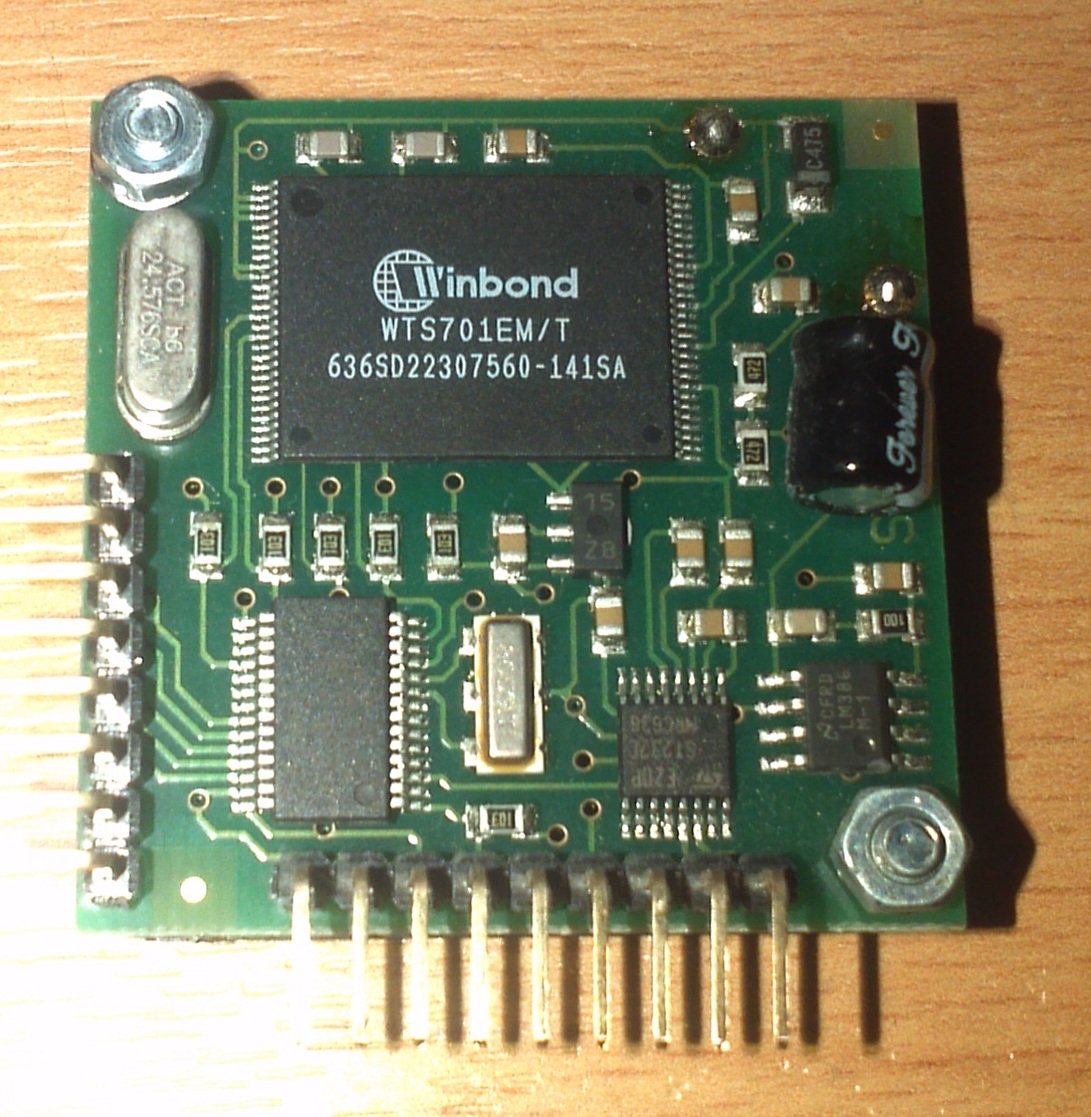
SP03 Text to Speech module
Info on this device can be found here: SP03 Documentation
So with a breadboard the new soldered Extender module and some connector wires and pull up resistors; it was all connected together and powered on. No magic blue smoke meant that things may actually be working ;-).
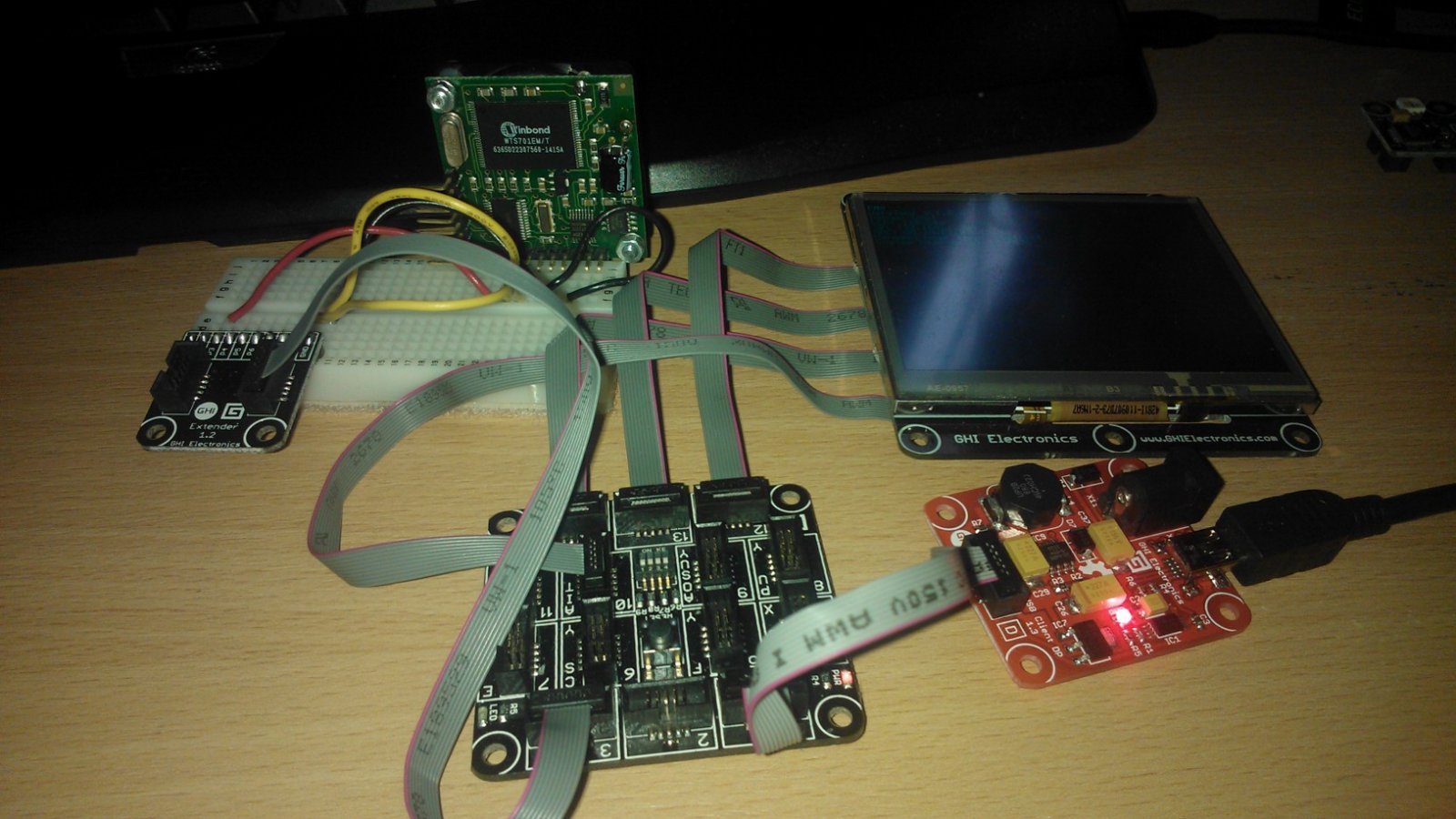
Fez Spider with SP03
The device uses either serial or I2C communication to communicate which is supported by the FEZ Spider. It took a lot of looking around and a couple of questions on the Tiny CLR forum but I managed to make a class that allowed the communication between the two and managed to make it speak for the first time. Below is that class:
using System;
using Microsoft.SPOT;
using Microsoft.SPOT.Hardware;

namespace FEZ_Speak
{
    class SP03
    {
        // initialse the device object
        private I2CDevice _sp03;

        // setup constants
        private const byte SP03ADDRESS = 0x62;
        private const int SP03CLOCKRATE = 100;

        // setup default speaking paramaters
        private byte _volume = 0x00;
        private byte _speed = 0x03;
        private byte _pitch = 0x05;

        // Initialise the hardware
        public SP03()
        {
            I2CDevice.Configuration config = new I2CDevice.Configuration(SP03ADDRESS, SP03CLOCKRATE);
            _sp03 = new I2CDevice(config);
        }

        // Speech properties
        public byte Volume
        {
            get { return _volume; }
            set { _volume = value; }
        }

        public byte Speed
        {
            get { return _speed; }
            set { _speed = value; }
        }

        public byte Pitch
        {
            get { return _pitch; }
            set { _pitch = value; }
        }

        // Methods
        // Say something
        public void Say(string speech)
        {
            WaitForSpeechFinish();
            I2CDevice.I2CTransaction[] xActions = new I2CDevice.I2CTransaction[3];
            xActions[0] = I2CDevice.CreateWriteTransaction(GetSettings());
            xActions[1] = I2CDevice.CreateWriteTransaction(ConvertText(speech));
            xActions[2] = I2CDevice.CreateWriteTransaction(SayIt());
            if (_sp03.Execute(xActions, 1000) == 0)
            {
                Debug.Print("Failed to perform I2C transaction");
            }
        }

        private byte[] ConvertText(string text)
        {
            System.Text.UTF8Encoding encoding = new System.Text.UTF8Encoding();
            byte[] buffer = encoding.GetBytes(text);
            byte[] result = new byte[buffer.Length + 2];
            result[0] = 0;
            result[1] = 0;
            buffer.CopyTo(result, 2);
            return result;
        }

        private byte[] GetSettings()
        {
            byte[] speechConfig = new byte[] { 0, 0, _volume, _pitch, _speed };
            return speechConfig;
        }

        private byte[] SayIt()
        {
            return new byte[] { 0, 0x40 };
        }

        private void WaitForSpeechFinish()
        {
            bool speaking = true;

            byte[] request = new byte[1] { 0 };

            while (speaking)
            {
                byte[] response = new byte[1];
                I2CDevice.I2CTransaction[] xActions = new I2CDevice.I2CTransaction[2];
                xActions[0] = I2CDevice.CreateWriteTransaction(request);
                xActions[1] = I2CDevice.CreateReadTransaction(response);
                if (response[0] == 0)
                    speaking = false;
            }
        }
    }
}
And here is the code that consumed that class:
using System;
using System.Collections;
using System.Threading;
using Microsoft.SPOT;
using Microsoft.SPOT.Presentation;
using Microsoft.SPOT.Presentation.Controls;
using Microsoft.SPOT.Presentation.Media;
using Microsoft.SPOT.Touch;
using Microsoft.SPOT.Hardware;

using Gadgeteer.Networking;
using GT = Gadgeteer;
using GTM = Gadgeteer.Modules;
using Gadgeteer.Modules.GHIElectronics;

namespace FEZ_Speak
{
    public partial class Program
    {
        // This method is run when the mainboard is powered up or reset.
        void ProgramStarted()
        {
            SP03 speechUnit = new SP03();

            speechUnit.Say("Hello Tiny C L R.");
        }
    }
}
After running this a growly computer voice spoke the words. In case anyone doesn’t believe me, here is the evidence 😉
Jas
2012/02/16
Eeek, my first C# post! Multi-Dimensional Arrays in Micro Framework failure
Hi,
As I’m using the Gadgeteer/.Net Micro Framework, I’ve been forced to learn some more c# ;-).
I came across an issue where Multi-Dimensional arrays are not compatible with the micro framework.
Thanks to the help of Architect from the TinyCLR.com forums (See his blog link “Break Continue” in the blogroll to the right of the post), I’ve now been introduced to jagged arrays in C# which solved the issue.
This failed:
private char[,] maze = new char[20,20];
So I now use the following code to achieve the same thing:
 private char[][] maze = new char[20][];

// Stuff

        private void InitialiseMaze()
        {
            for (int lp = 0; lp <= 19; lp++)
            {
                maze[lp] = new char[20];
            }
        }
To see it in use, Here is a section of code used to populate the array from the code:
// Stuff

        private void LoadMaze()
        {
            // read in the text file and convert to a string.
            string path = _mazePath + @"\store\" + _currentLevel + ".map";
            byte[] rawBytes = _storageDev.ReadFile(path);
            char[] rawCharacters = System.Text.UTF8Encoding.UTF8.GetChars(rawBytes);
            string tmpMap = new string(rawCharacters);
            // Now split the text file into lines using the \r character from the text file
            // note this will leave the \n character at the end of each line
            string[] lines = tmpMap.Split('\r');
            // Get the header, removing the \n
            string header = lines[0].Trim('\n');
            // check maze version and the dimensions of the maze
            string[] bits = header.Split('|');
            string ver = bits[0];
            int width = int.Parse(bits[1]);
            int height = int.Parse(bits[2]);
            if (ver != "1.0")
            {
                throw new Exception("Maze version is incorrect");
            }
            for (int y = 1; y <= height; y++)
            {
                char[] row = lines[y].Trim('\n').ToCharArray();
                for (int x = 0; x < width; x++)
                {
                    maze[x][y-1] = row[x];
                }
            }
        }
2012/02/10
Added a generator tool (Windows) in VB.net for TyranntMicro
Hi,
Added a new generator tool. So far it can just generate items:

This tool will store the items in “|” delimited text files which can easily be turned into objects using the split(“|”c) or split(‘|’) string function.
An example of the above “Arrows” item is:
1.0|Arrows||A Quiver of arrows. Holds a maximum of 10 arrows|arrowico.gif|arrow.gif|ammo|10|0|False|False|False
I was planning to do this on the Spider but it just makes more sense to do this on a desktop machine.
So Character Generator is almost finished. (Starting items are all that is required)
Item generator done
Next when I get spare time I’ll start working on the Maze Generator in the generator tool and a “Play Game” screen system on the Spider.
2011/04/19
Rolling the Dice
Doing a game that is an RPG, one thing that I will always need to do is roll a dice. There may be better ways of introducing randomisation but rolling the dice is my preferred method. It was the best part of playing games like Dungeons and Dragons and Middle Earth Role Playing as a kid. We always used a certain way of writing down the dice formula to complete a certain action, for example:
2d6+1
Would mean that you would roll two six sided dice and then add one to the result. This formula has also stuck with me when I end up trying to write an RPG game. I once used a PICK operating system in one of my very early jobs to write a character generator in PICK Basic (Or Data Basic as it was also known) This piece of code seems to have followed me to multiple different operating systems and languages. I thought I would post the latest incarnation. A quick note, the FIELD function used was available in the PICK Basic Language it was used for manipulating strings, I did a .net version to make things easier for me 🙂
Module support

    Public Function RollDice(value As String) As Integer
        ' setup working variables to make things easier
        Dim tmp As String = ""
        Dim modType As String = ""
        Dim numberOfDice As Integer = 0
        Dim numberOfSidesPerDice As Integer = 0
        Dim modifier As Integer = 0
        ' First we check to see if there is a "d" in the string
        If value.Contains("d") = True Then
            ' There is so first we need to get the value infront of the d
            tmp = Field(value, "d"c, 1).Trim
            ' and convert it to an integer if it's a number, errors are silently
            ' ignored for now.
            If Integer.TryParse(tmp, numberOfDice) = False Then
                numberOfDice = 0
            End If
            ' Now look at the value after the d
            tmp = Field(value, "d"c, 2).Trim
            ' does it contain a + or a -?
            If tmp.Contains("+") = True Then
                modType = "+"
            End If
            If tmp.Contains("-") = True Then
                modType = "-"
            End If
            ' if does not contain a + or a -, then there is no modifer
            If modType = "" Then
                ' and we take the right side of the d as the number of sides
                ' of the dice
                If Integer.TryParse(tmp, numberOfSidesPerDice) = False Then
                    numberOfSidesPerDice = 0
                End If
            Else
                ' there is a + or a - so we need to extract the number on the left
                ' side of the +/-
                Dim bit As String = Field(tmp, CChar(modType), 1).Trim
                If Integer.TryParse(bit, numberOfSidesPerDice) = False Then
                    numberOfSidesPerDice = 0
                End If
                ' now we take the right side of the +/- and set that to the modifier
                bit = Field(tmp, CChar(modType), 2).Trim
                If Integer.TryParse(bit, modifier) = False Then
                    modifier = 0
                End If
            End If
        Else
            ' Ah so there is no d so we assume it's not a forumlar, just a number
            numberOfDice = 0
            numberOfSidesPerDice = 0
            If Integer.TryParse(value, 0) = True Then
                modifier = 0
            Else
                modifier = 0
            End If
        End If


        ' Now comes time to roll the dice
        Dim lp As Integer
        Dim total As Integer = 0
        ' Set up a random object randomised by the syystem date and time
        Dim objRandom As New System.Random(CType(System.DateTime.Now.Ticks Mod System.Int32.MaxValue, Integer))
        ' loop through the number of dice
        For lp = 1 To numberOfDice
            ' add each roll to the total
            total = total + CInt(objRandom.Next(numberOfSidesPerDice) + 1)
        Next
        ' now modify the total if needed
        If modType = "+" Then
            total += modifier
        ElseIf modType = "-" Then
            total -= modifier
        End If
        ' we have the results of the dice roll
        Return total
    End Function

    ' Using the delimiter to split the string into chunks, return the pos chunk
    ' e.g. Field("1d6+1","d",2) would return "6+1"
    Public Function Field(ByVal sourceString As String, ByVal delimiter As Char, ByVal pos As Integer) As String
        Dim parts() As String = sourceString.Split(delimiter)
        If pos > parts.Length Then
            Return ""
        Else
            Return parts(pos - 1)
        End If
    End Function

End Module
2011/04/18
Quick post about XML Literals
Just a quick post as I’ve decided to write a simplified standalone version of a game to get some game mechanics designed. As a way of storing information that would have been stored I though I would use XML for the “Static” information which brings me to the great XML literals addition to vb.NET. Makes the code so much more readable and it also allows auto complete and error checking while you type it.
Below is a snippet of code to give an example of how the data is generated.
        Dim classes As XElement =
            <classes>
                <class description="A Character trained in weapons and armour">Fighter</class>
                <class description="A Character trained in Ranged and close quarters combat">Rogue</class>
                <class description="A Character trained in the arcane arts of combat">Mage</class>
                <class description="A Character trained in the arcane arts of healing and defence">Priest</class>
            </classes>

        Dim mobs As XElement =
            <mobs>
                <mob strength="1d4+2" constitution="1d6" dexterity="1d4" intelligence="3"
                    weapon="Rats Teeth">Giant Rat</mob>
            </mobs>

        Dim items As XElement =
            <items>
                <item type="weapon" value="1d4" action="stabs">Dagger</item>
                <item type="weapon" value="1d4+1" action="strikes">Staff</item>
                <item type="weapon" value="1d6" action="Shoots">Bow</item>
                <item type="weapon" value="1d6" action="swings">Short Sword</item>
                <item type="defence" value="1" action="">Robes</item>
                <item type="defence" value="2" action="">Leather Armour</item>
                <item type="defence" value="1d4-2" action="">Shield</item>
                <item type="potion" value="1d4" action="quaffs" stat="mana">Mana Potion</item>
                <item type="potion" value="1d4" action="quaffs" stat="hp">Health Potion</item>

                <item type="weapon" value="1d4-1" action="bites">Rats Teeth</item>
            </items>

        Dim spells As XElement =
            <spells>
                <spell></spell>
            </spells>

        Dim maps As XElement =
            <maps>
                <map name="test" rows="10" cols="10">
                    <row number="0">##########</row>
                    <row number="1">#*#f...g>#</row>
                    <row number="2">#.#.######</row>
                    <row number="3">#a#.#....#</row>
                    <row number="4">#+#.#.##.#</row>
                    <row number="5">#.#..e##.#</row>
                    <row number="6">#.######.#</row>
                    <row number="7">#.#....+d#</row>
                    <row number="8">#b+c...###</row>
                    <row number="9">##########</row>
                    <event type="message" description="As you were walking along the field, the ground shook and split appart and you landed in what looks to be an old mine tunnel">*</event>
                    <event type="message" description="You notice bones on the floor">a</event>
                    <event type="message" description="You hear scratching noises through the door">b</event>
                    <event type="fight" description="Giant rats run at you as you enter the room" mob="Giant Rat" mobcount="1d4">c</event>
                    <event type="item" description="You find a health potion on the floor" item="Health Potion" itemcount="1">d</event>
                    <event type="fight" description="Giant Rats swarm round the corrner of the tunnel" mob="Giant Rat" mobcount="1d4+4">e</event>
                    <event type="message" description="You feel a breeze from the end of the corridor">f</event>
                    <event type="message" description="You see a ladder ahead leading out of the tunnel">g</event>
                </map>
            </maps>

 VB Magic