New Windows Phone 7.1.1 SDK now available which supports 256mb devices
2012/03/27
2012/03/12
My first Windows Phone App goes live!
My fist Windows Phone 7+ app has now gone live and is available in the marketplace (And yes it’s written in VB.net 🙂 ).
What is it?
Well I decided to create an app to aid my failing memory. When I go to the pub and buy a round of drinks, between taking everyone’s orders and getting to the bar I tend to forget most of them.
Introduce: My Round

My Round Loading Page image
It will allow you to take peoples orders and remember the drinks in case you wish to use them again. It was designed to be quick and simple to use.It could also be used for other “Lists”, e.g. taking food orders etc. It loads very quickly and you have a plus button in the application bar at the bottom to add drinks.
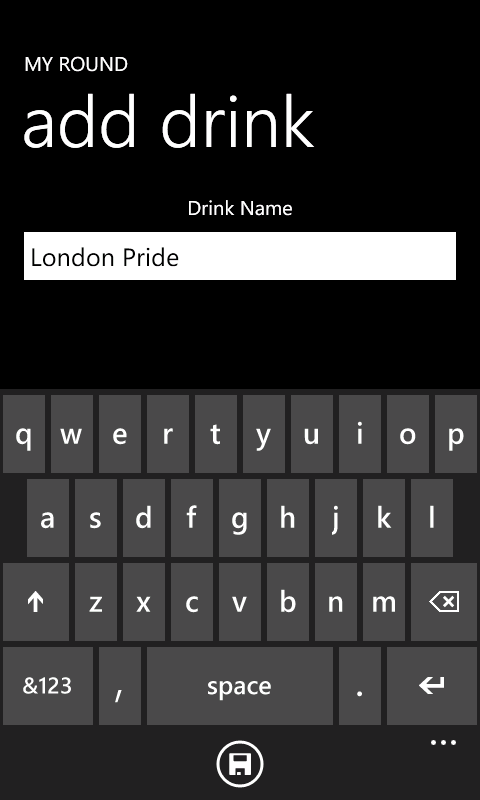
Add drink to you list
Once added the item will appear on the “Bar” page, plus add one to the “Drinks” page. You just need to swipe left and right to go between the two.
This is an example of the Bar Page.
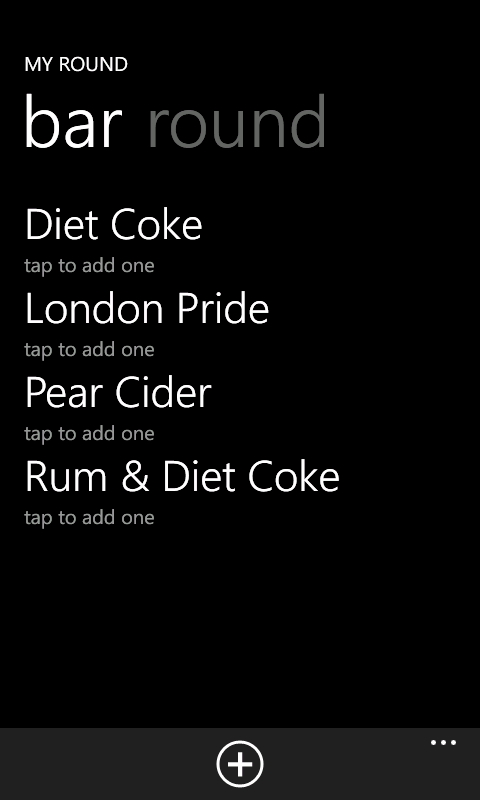
My Round Bar page UI
And the round page.
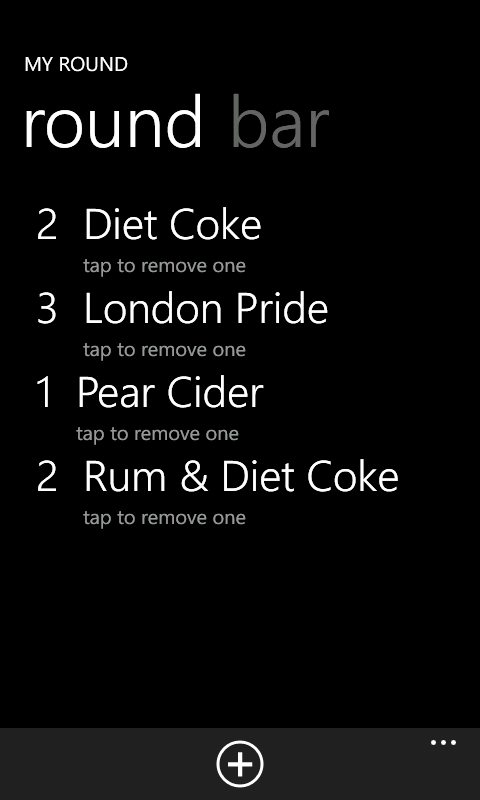
My Round, Round Page UI
Once a item is in the “Bar” list, just tap it to add it to the round. And on the round page, tap it to remove one of that item (or remove the item completely if there is only one left).
If you want to clear the round to start again. Go to the application bar menu and select clear. If you want to remove an item from the bar page, press and hold the item until a menu appears and select Remove.
To get hold of it, either search the market place for “My Round” or Click this link
Jas
2012/03/02
Databinding Fail on Windows Phone, if using a TextBox and an AppBar Button
An annoying bug (Or Feature) of developing for Windows Phone 7.1.
I’ve been writing a Windows Phone 7.1 app that uses the MVVM model. I have a view that allows me to enter some text and the only other thing on the view is an App Bar button which saves the text.
From what I can gather, the data binding will cause an update once the text box has lost focus. But in this case pressing the App Bar button does not cause the text box to lose focus, so the data update doesn’t happen.
In my case it was an easy work around to give the TextBox a name and update the view model from within the code behind.
TextBox Text="{Binding Path=SomeText, Mode=TwoWay}" x:Name="aTextBox" Grid.Row="1"
_viewModel.SomeText = aTextBox.Text

_viewModel.Save()
But it sort of defeats the object of data bound items.

 VB Magic