Actually got my soldering iron out at the weekend and soldered pins onto the Gadgeteer Extender module.
While rummaging around in my old electronics last week, I came across an old SP03 Text to Speech module:
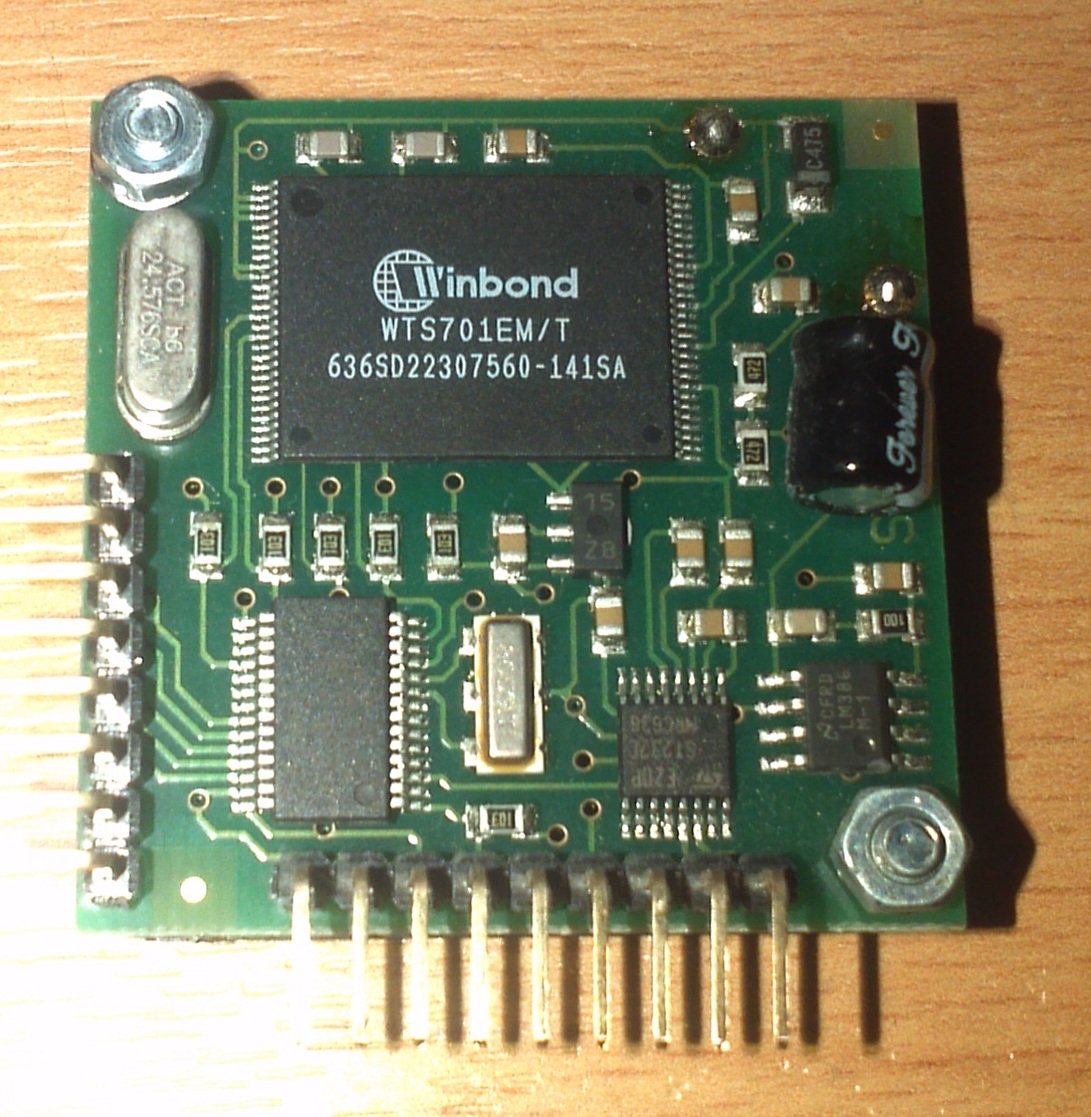
SP03 Text to Speech module
Info on this device can be found here: SP03 Documentation
So with a breadboard the new soldered Extender module and some connector wires and pull up resistors; it was all connected together and powered on. No magic blue smoke meant that things may actually be working ;-).
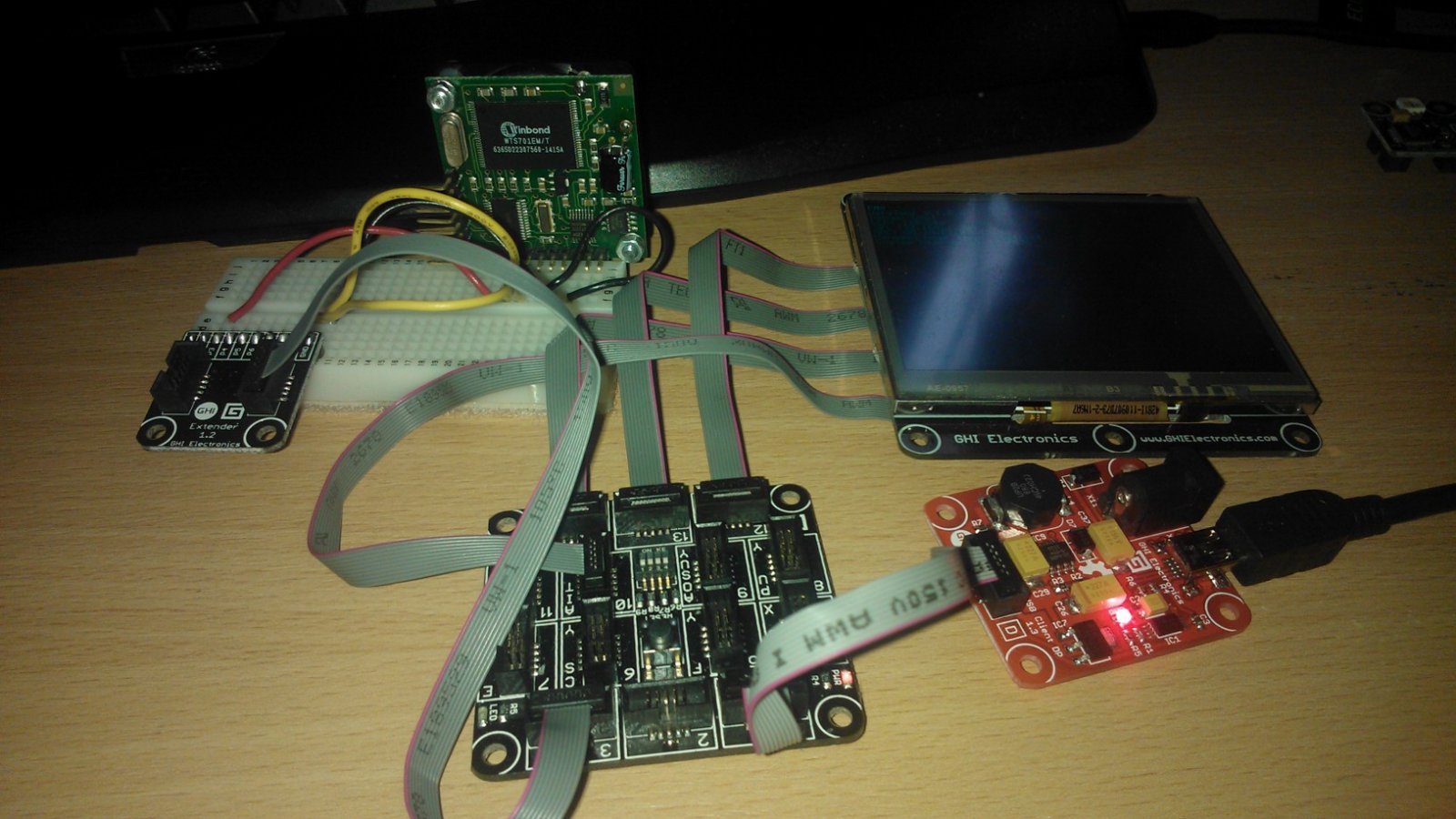
Fez Spider with SP03
The device uses either serial or I2C communication to communicate which is supported by the FEZ Spider. It took a lot of looking around and a couple of questions on the Tiny CLR forum but I managed to make a class that allowed the communication between the two and managed to make it speak for the first time. Below is that class:
using System;
using Microsoft.SPOT;
using Microsoft.SPOT.Hardware;

namespace FEZ_Speak
{
    class SP03
    {
        // initialse the device object
        private I2CDevice _sp03;

        // setup constants
        private const byte SP03ADDRESS = 0x62;
        private const int SP03CLOCKRATE = 100;

        // setup default speaking paramaters
        private byte _volume = 0x00;
        private byte _speed = 0x03;
        private byte _pitch = 0x05;

        // Initialise the hardware
        public SP03()
        {
            I2CDevice.Configuration config = new I2CDevice.Configuration(SP03ADDRESS, SP03CLOCKRATE);
            _sp03 = new I2CDevice(config);
        }

        // Speech properties
        public byte Volume
        {
            get { return _volume; }
            set { _volume = value; }
        }

        public byte Speed
        {
            get { return _speed; }
            set { _speed = value; }
        }

        public byte Pitch
        {
            get { return _pitch; }
            set { _pitch = value; }
        }

        // Methods
        // Say something
        public void Say(string speech)
        {
            WaitForSpeechFinish();
            I2CDevice.I2CTransaction[] xActions = new I2CDevice.I2CTransaction[3];
            xActions[0] = I2CDevice.CreateWriteTransaction(GetSettings());
            xActions[1] = I2CDevice.CreateWriteTransaction(ConvertText(speech));
            xActions[2] = I2CDevice.CreateWriteTransaction(SayIt());
            if (_sp03.Execute(xActions, 1000) == 0)
            {
                Debug.Print("Failed to perform I2C transaction");
            }
        }

        private byte[] ConvertText(string text)
        {
            System.Text.UTF8Encoding encoding = new System.Text.UTF8Encoding();
            byte[] buffer = encoding.GetBytes(text);
            byte[] result = new byte[buffer.Length + 2];
            result[0] = 0;
            result[1] = 0;
            buffer.CopyTo(result, 2);
            return result;
        }

        private byte[] GetSettings()
        {
            byte[] speechConfig = new byte[] { 0, 0, _volume, _pitch, _speed };
            return speechConfig;
        }

        private byte[] SayIt()
        {
            return new byte[] { 0, 0x40 };
        }

        private void WaitForSpeechFinish()
        {
            bool speaking = true;

            byte[] request = new byte[1] { 0 };

            while (speaking)
            {
                byte[] response = new byte[1];
                I2CDevice.I2CTransaction[] xActions = new I2CDevice.I2CTransaction[2];
                xActions[0] = I2CDevice.CreateWriteTransaction(request);
                xActions[1] = I2CDevice.CreateReadTransaction(response);
                if (response[0] == 0)
                    speaking = false;
            }
        }
    }
}
And here is the code that consumed that class:
using System;
using System.Collections;
using System.Threading;
using Microsoft.SPOT;
using Microsoft.SPOT.Presentation;
using Microsoft.SPOT.Presentation.Controls;
using Microsoft.SPOT.Presentation.Media;
using Microsoft.SPOT.Touch;
using Microsoft.SPOT.Hardware;

using Gadgeteer.Networking;
using GT = Gadgeteer;
using GTM = Gadgeteer.Modules;
using Gadgeteer.Modules.GHIElectronics;

namespace FEZ_Speak
{
    public partial class Program
    {
        // This method is run when the mainboard is powered up or reset.
        void ProgramStarted()
        {
            SP03 speechUnit = new SP03();

            speechUnit.Say("Hello Tiny C L R.");
        }
    }
}
After running this a growly computer voice spoke the words. In case anyone doesn’t believe me, here is the evidence 😉
Jas

 VB Magic